The whole shop, from the front chair.
Turbo Link Studio runs the walk-in queue, the book, the chairs and the money, and builds you a real shop site with your prices out front. One login, one subscription, and a real person who answers when you call.
$29 Solo, per month, billed annually One subscription runs all of it: the queue, the book, the chairs, the money and your shop site. See what is included.
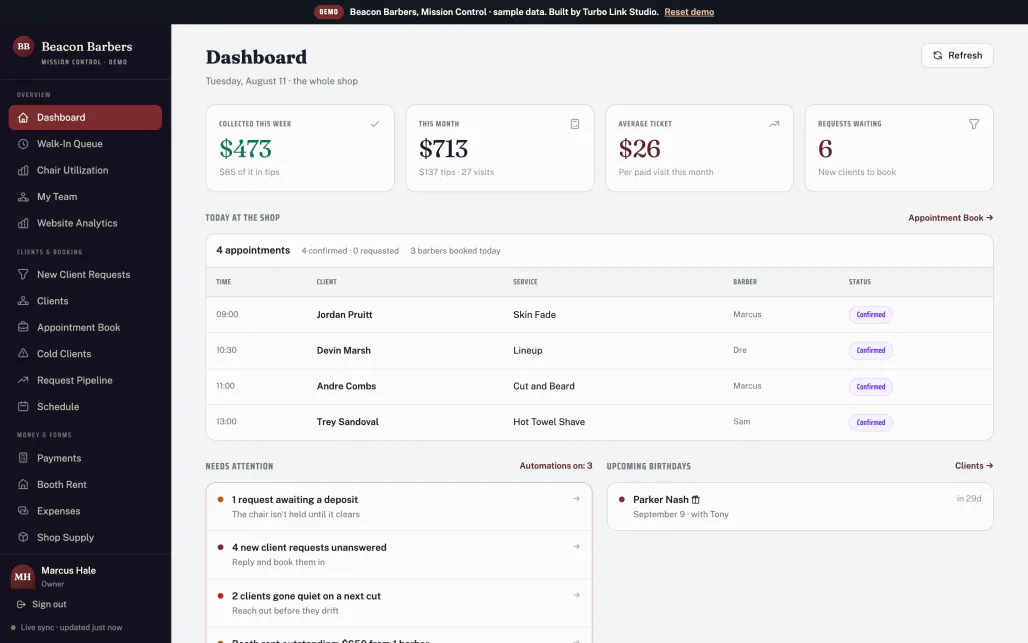
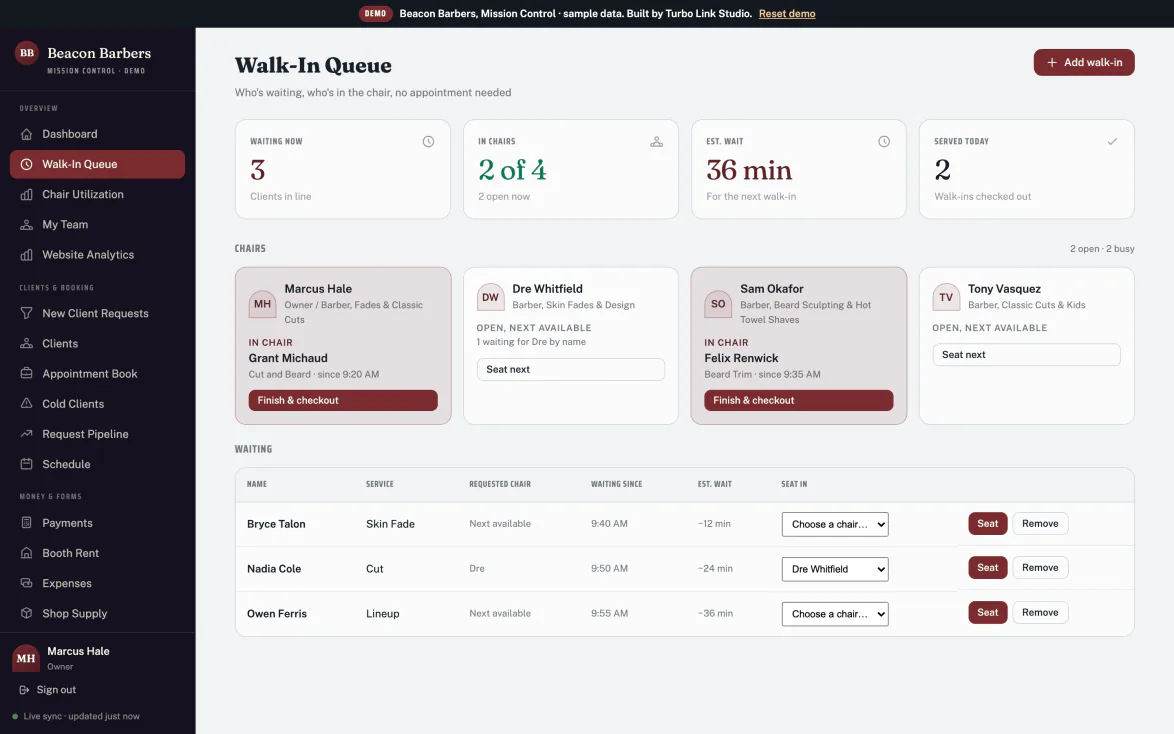
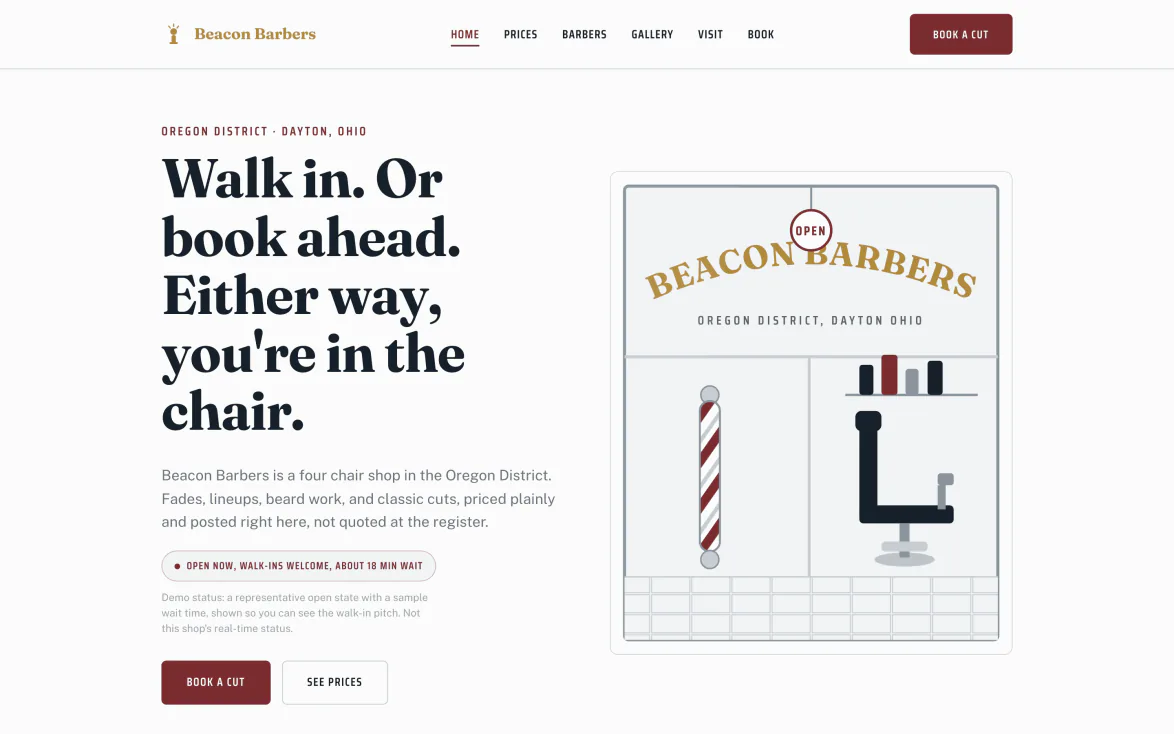
Demo · Beacon Barbers, Dayton OH · real screens from the product
One shop, five systems. Open any of them:
The line moves, and everyone can see it.
A real walk-in queue on the shop screen and on your phone, with a wait estimate you can say out loud. Nobody stands at the door guessing.
- Who is waiting, and for which chair. Add a walk-in in two taps, from the front desk or the phone in your apron. Next available, or a barber by name.
- A wait time you can stand behind. The estimate comes off your real service times and who is actually in a chair, not a guess taped to the mirror.
- The wait is a number, not a shrug. The estimate adds up the services ahead of them and divides by the chairs actually running, so the answer at the door is one you can stand behind.
- The queue and the book are one thing. A walk-in and a booked client land in the same day, and neither one gets double-sat.
A shop site with the prices out front.
Designed with you, on your own domain, built so the guy searching for a fade at nine on a Saturday finds you and not the shop two blocks over.
- A designer builds it with you. Your services, your prices, your barbers, your hours. A real multi-page site, not a booking link with your logo on it.
- Your own domain, and search finds it. Clients land on your name. When someone nearby searches for a skin fade or a hot towel shave, pages win, link-in-bios do not.
- Walk-ins welcome, out front. The site says it plainly, next to your public prices, instead of hiding how a barbershop actually works.
- Booking on every page. The Book button is always one tap away, and the request lands in your book with a card on file.
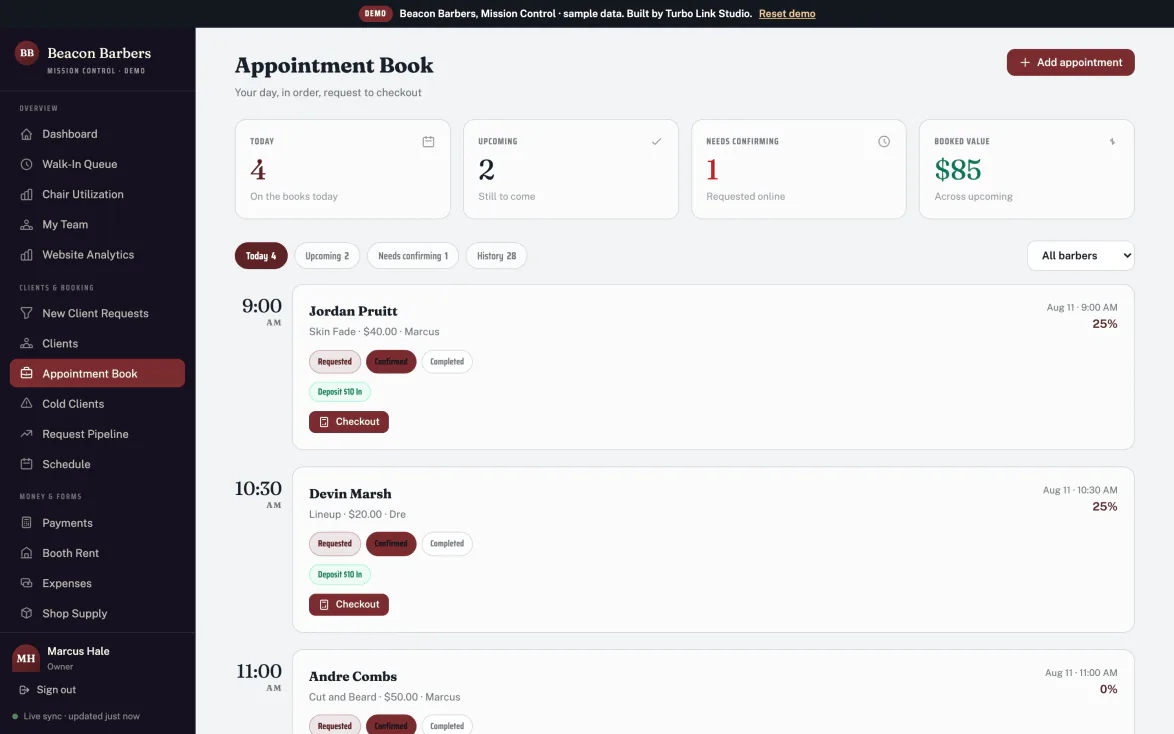
Regulars book ahead. Everyone else walks in.
One book holds both, with a card on file, and it will not double-sit a chair.
- For your client: pick the barber, the service and the time, with a card on file to hold it. No phone tag, no messages left on read.
- For you: every request arrives with their details attached, and the whole shop reads one book with statuses you can trust.
- Deposits when you want them. Hold the chair with a card so a no-show costs them something instead of costing you the slot.
- Their history is right there. Guard numbers, the fade they like, the part, how they take the beard. Nobody has to ask twice.
- Want it fully custom? A designer builds your shop site from $349, one time, on the same system. Larger builds are quoted above that.
A client book that fills a quiet Tuesday.
Cut notes, who is due to rebook, who has gone quiet, and the birthdays worth a text this month.
- Cut notes that actually help. Guard number, fade type, beard length and lineup notes, on the record.
- Due and gone-quiet, flagged. A rebook clock and a filter for clients who have drifted, so there is a list to work instead of a guess.
- Win-backs, from the record. A nudge sent in one tap to a client who has drifted, in their thread, on the record.
- Each barber's book stays theirs. In a booth rent shop, the owner sees rent status, not a renter's clients or takings.
Tips, booth rent, and which chair earns.
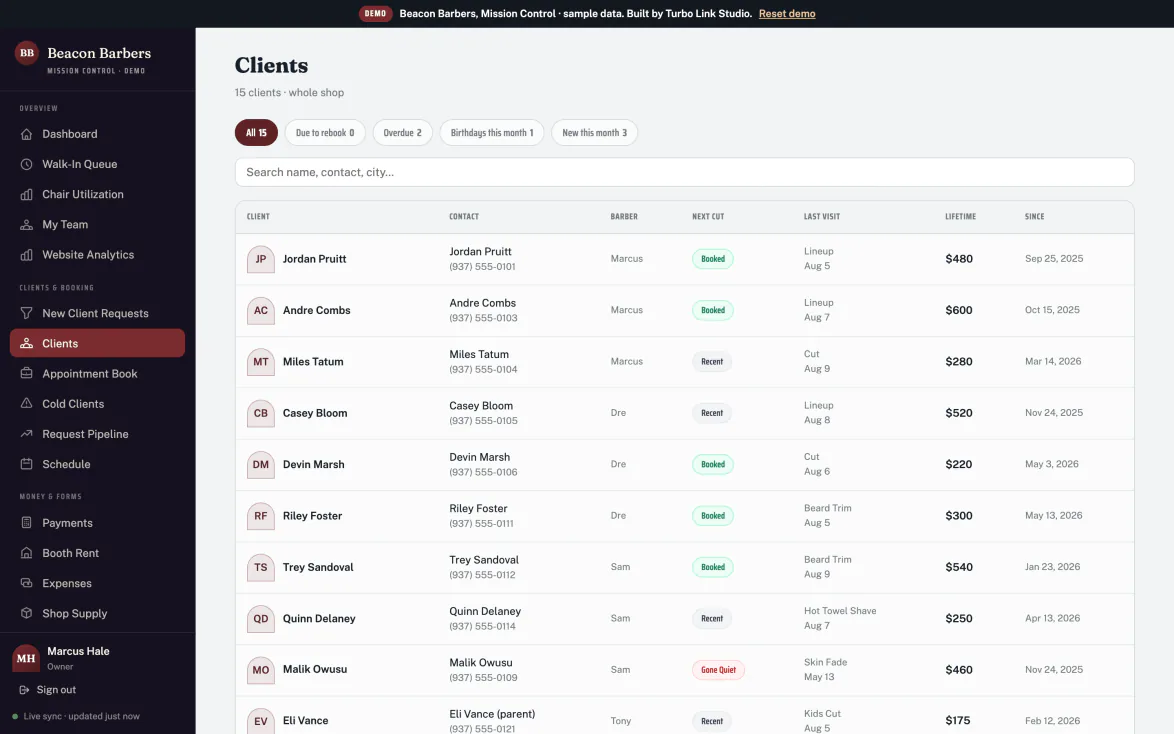
Checkout with tips on every ticket, booth rent tracked without the group text, and utilization per chair so you know what the shop is actually doing.
- Tips are first class. Every ticket carries its tip, and the week's tips sit beside the week's take instead of living in a jar.
- Booth rent, tracked. Who has paid, who is due, per barber, without chasing anyone in a group chat.
- Chair hours, barber by barber. Booked hours against open hours for the last seven days, so the quiet chair stops being a feeling and starts being a number. Booked hours come from the appointment book; walk-in chair time is not counted yet.
- Instant payout when you want it. Standard payouts are free; same-day money costs 1.5% and only when you ask.
The shop, in your pocket.
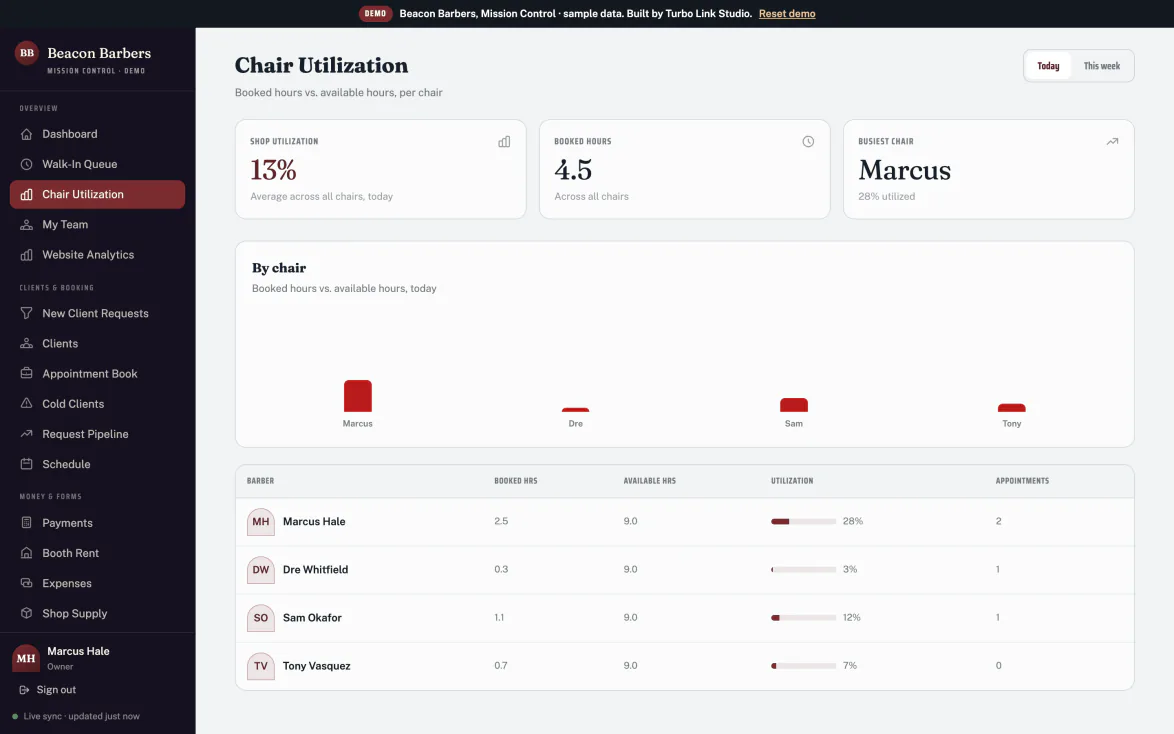
The queue, the book and the money from the phone at your station, between cuts.
- For you: move the queue, answer a client, and take a payment before they are out of the chair.
- For your clients: nothing to download, or the Turbo Link app if they'd rather. Booking and their whole history live in the browser, and the link opens right inside Instagram where they found you.
Take the shop on the road, without opening your book.
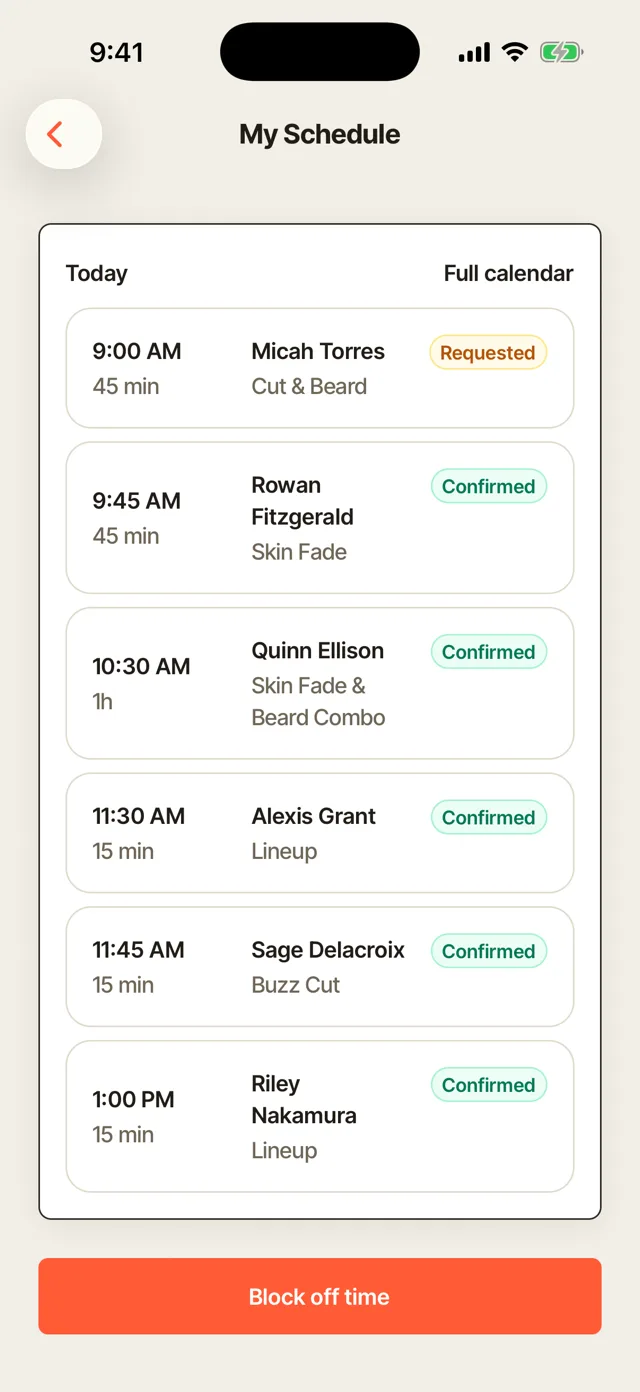
A wedding party, a team cut, a pop-up: assign the barbers working it to that one job and nothing else.
Invite them by email before they have even made an account. They accept or decline and say when they are free. On the day they work the same checklist, see what to bring, and talk to the rest of the crew in a thread the client never sees. They sign their own paperwork. If the shop is set up as a team, you record what each one is owed and mark it paid inside the job; a solo barber settles up outside the app.
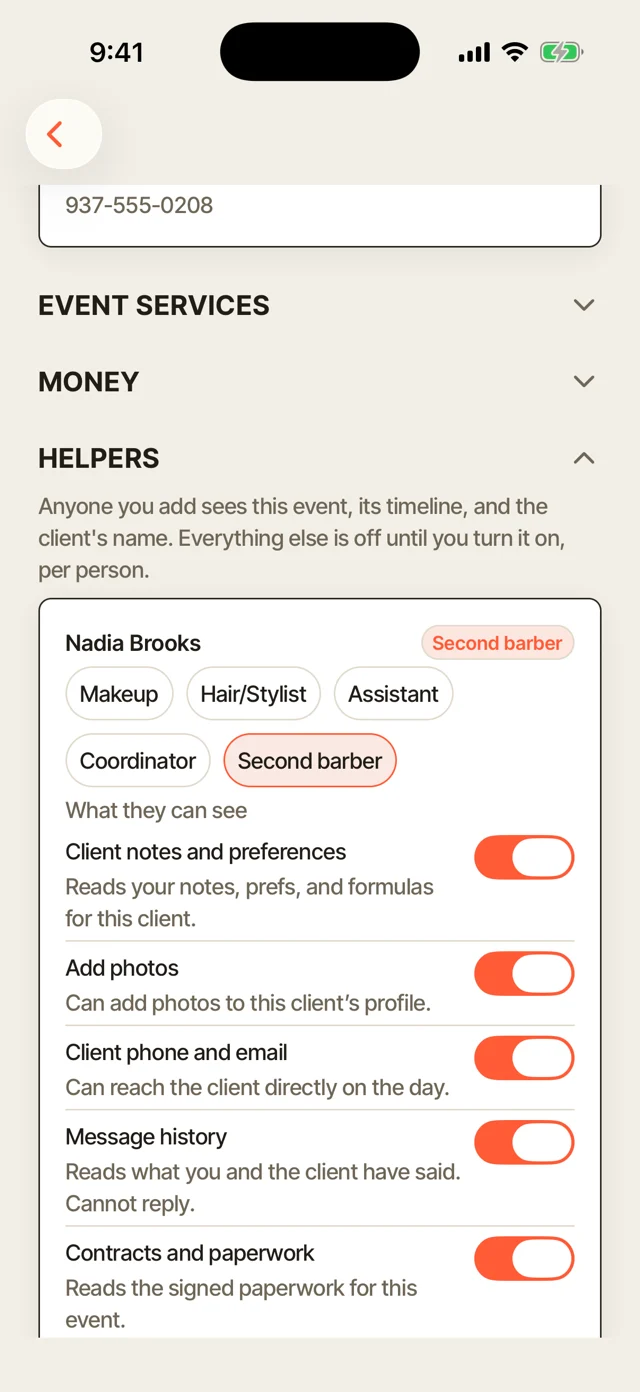
Seven switches, set per person and per job. A barber you brought in for the morning sees the schedule and nothing else. Your regular chair renter sees the client and the timeline but not what the job billed. Your shop manager sees all of it.
Everything on the back bar.
One subscription, one price. If it is not listed here, it is not part of Turbo Link.
- Designed shop site + your own domain
- Walk-in queue with live wait times
- Online booking + deposits
- Chair utilization + booth rent
- Barbers assigned to a job, with per-person access
- Client book with one-tap win-backs
- Two-way client messages + portal
- Payments 2.9% + 15¢, tips on every ticket
- Waitlist, front desk and shop supply
- Forms & waivers, sent and signed on a phone
- Client texts, 100 a month included
- A designer who answers the phone
Month-to-month is $35 solo, $95 team, $155 team plus. Annual is the number above.
Three optional add-ons: Social Studio at $15 a month, a text bundle at $15 a month if 100 client texts is not enough, and Premium Marketing at $149 a month if you want the marketing itself handled.
Annual is $6 a month less. We would rather show both than hide one.
No contract on the subscription either; it is month to month, cancel whenever. A contract applies only to a custom build or the Premium Marketing add-on.
The whole shop, in one list.
The bays above tell the story. This is what is actually inside each system, so you can find the one thing you came here to check.
The shop site
- Designer buildBuilt with a real person, not a kit.
- Your own domainNot a shared subdomain.
- Public price listEvery service, priced, in plain view.
- The Fadehouse templateBarber-native, plus the shared salon-family option.
Queue & booking
- Walk-in queueWho is waiting, for which chair, and the live wait.
- Front desk check-inTwo taps at the desk, no account needed.
- Card on fileHolds the slot the same way the shop's own book does.
- No double-bookingEnforced by the database, not a warning.
Chairs & money
- Checkout with tipsEvery ticket carries its tip.
- Chair hoursBooked against open, last seven days, walk-in chair time not yet counted.
- Booth rentPaid and due, per barber.
- Instant payout1.5% when same-day money is wanted.
The client book
- Cut notesGuard number, fade, beard and lineup.
- Due & gone-quiet filtersA list to work, not a guess.
- Win-backsA nudge sent from the record, in one tap.
- Each barber's own bookBooth renters' clients stay private.
Client experience
- In the queue by nameChecked in at the desk, no account needed.
- Their portalCut history and receipts, no password to remember.
- Two-way messagesA real thread, not a noreply address.
- Nothing to downloadOpens straight from a link, or the app.
Shop & team
- Team loginsEvery barber gets their own book.
- WaitlistFor the chair that is booked solid.
- Forms & waiversBooth rent agreements and shave consents, signed on a phone.
- Shop supplyLow stock flagged before it is a problem.
The questions we get
Straight answers, before you have to ask.
Do walk-ins actually work, or is this a booking app with a list bolted on?
How do we actually get set up?
Is my client list really mine?
What about barbers who rent a chair?
Do my clients need an app?
Is there a contract?
What happens if I stop paying?
Who owns the domain?
Take the chair. We will run the rest.
$29 a month, billed annually. Everything above included.