No password needed. Open a link, or open the app.
Their side of the shop: request a session, pay the deposit from a link, sign consent from their phone before they arrive, and see their history and receipts in a portal. Nothing to download, or the app if they'd rather have one.
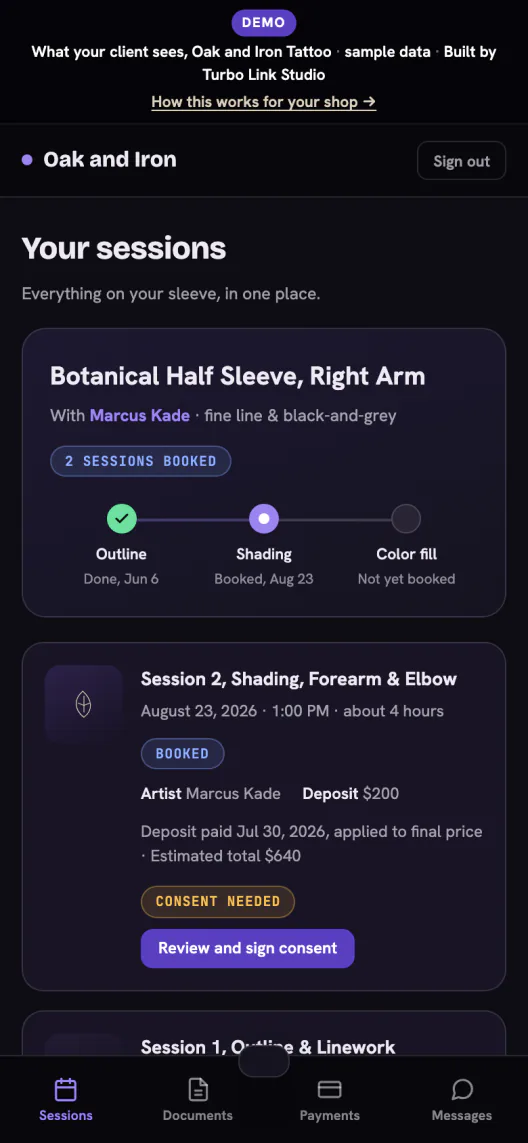
Request a session, then pay the deposit.
They pick an artist, describe the piece, and pay the deposit from the invoice link the moment the request is confirmed.
- No account to create. A clean request page, answered right there in the browser.
- A real invoice, not a promise. The deposit link opens a real invoice with the amount and the date on it.
- Paid, and the date holds. Once it clears, the slot is theirs.
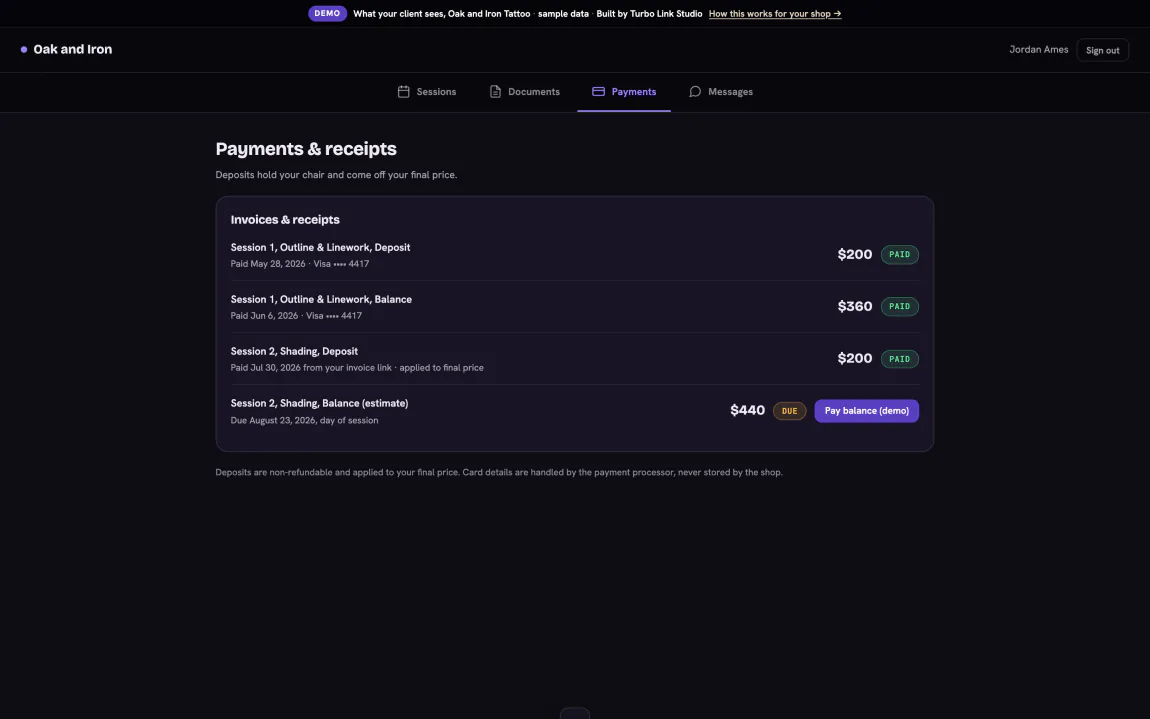
Consent signed before they arrive.
The Tattoo Consent and Release opens from a link and gets signed on their own phone, on their own time, before they sit down.
- Thirteen fields, built for the trade. Not a generic waiver with the shop's name pasted on top.
- Signed before the chair, not in it. No clipboard passed hand to hand at the front desk.
- On their record for good. Pulled back up for a touch-up years later without signing again.
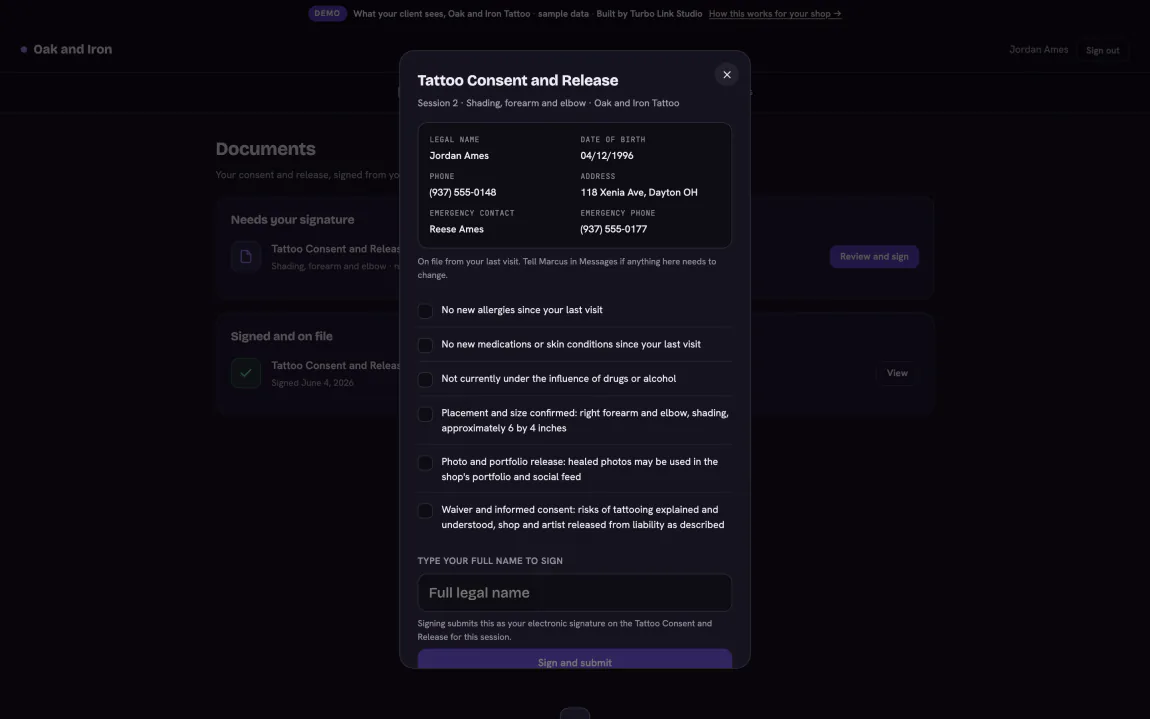
Their history, and every receipt.
Past sessions, invoices, and signed forms sit in one portal, opened from a link they already have.
- Every session, in one place. What was done, when, and by which artist.
- Receipts they can find again. No digging through email for the invoice from a year ago.
- It just opens. No password to remember, even from inside another app's browser, or use the Turbo Link app instead.
Two-way messages. Portal or app.
A real thread with the artist, opened from the portal or the app, not a text number that changes when someone leaves.
- One thread, on the record. Questions about the piece or the appointment land with the shop, not a personal phone.
- Aftercare that follows up on its own. Care instructions arrive by email on day 1, day 3, and day 14 after the session, and the artist is still in this thread for anything the instructions do not cover. Aftercare arrives by email, not by text, and we would rather say that plainly.
- The design, approved on the record. The artist sends the drawing to this same portal; approve it, or ask for changes, and the approval is saved against the piece.
- Portal or app, same thread. The same conversation opens from a link in the browser, or from the Turbo Link app.
Everything your client gets
Their whole side of the shop.
The bays above tell the story. This is the list, so you can check for the one thing you actually came here to find.
Requesting & booking
- Request a sessionNo account required to ask.
- Pick the artistA request addressed to the right person.
- Deposit from a linkA real invoice, paid to hold the date.
Consent & records
- Sign from a phoneThe Tattoo Consent and Release, before they arrive.
- On the recordPulled back up for a touch-up, any year.
The portal
- HistoryEvery session, what was done and by whom.
- ReceiptsEvery invoice, found again without email.
- Portal or appOpens from a link in the browser, or from the Turbo Link app.
Messaging
- Two-way threadA real conversation with the artist.
- Aftercare emailsSent on day 1, 3, and 14 after the session, on their own.
- Design proofsApproved from the portal, saved against the piece.
What clients ask before they ever ask you
Straight answers, before you have to explain.
Do I need to make an account?
Will I get aftercare instructions automatically?
Is my payment information safe?
Can I see my old sessions?
Start with the client's first request.
$39 a month, billed annually. Everything above included.